On September 4, Project Zenith turned Microsoft’s developer-PC ambitions into a concrete spec. Announced on the Windows Developer Blog, Project Zenith is Microsoft’s “ready-to-code, distraction-free Windows experience” that ships on a new class of hardware: machines with at least 64 GB of unified memory and 250+ GB/s of memory bandwidth. The point of that floor is explicit — Microsoft says Zenith devices can “run 30B+ parameter models locally and unmetered,” reducing developers’ reliance on metered cloud tokens.

It’s not a new Windows edition, not a laptop SKU, and not a cloud service. It’s a factory-applied configuration plus a hardware bar — and it arrives at a moment when the economics of renting inference from cloud APIs are getting less comfortable by the week. Let’s unpack what Zenith actually is, what it runs on, and where the fine print lives.
Related: NVIDIA’s RTX Spark: the other unified-memory dev box — how the N1X superchip kicks off the Arm-based Windows laptop era.
What Is Project Zenith? Microsoft’s Ready-to-Code Windows 11 Dev PC Explained
Strip away the branding and Project Zenith is two things stapled together: a minimum hardware specification and a preconfigured Windows 11 developer environment.
The hardware spec is the part that matters most. 64 GB of unified memory plus 250 GB/s of bandwidth is not a spec sheet flourish — it’s precisely what you need to hold a 30B-parameter model (quantized, with context) in a memory pool shared between CPU and GPU, and to stream weights to compute units at a tolerable clip. Microsoft’s own framing on the blog: by shifting some intelligence to the edge, “frontier models tackle frontier problems, while everything else runs locally at scale.”
The software side is a curated baseline rather than a new OS. Out of the box, Zenith devices come with:
- Windows Terminal and VS Code pinned to the Taskbar
- A developer-tuned Windows configuration: File Explorer shows file extensions, hidden files, and the full path in the title bar; long-path support is enabled; Search and Start get the Command Palette, while start menu tips and account notifications are turned off
- WSL deeply integrated, including the WSL containers feature introduced at Build 2026 for running Linux containers directly on Windows
- A preinstalled toolchain spanning languages, runtimes, source control, and productivity tools — TechTimes’ analysis of the announcement lists GitHub Copilot, PowerToys, Git, Python 3.14+, Node.js 24+, WSL 2 with Ubuntu, and .NET 10 among what ships enabled
Microsoft is careful to say Zenith is “not about prescribing a single workflow.” And crucially, the configuration itself isn’t locked to new hardware: Microsoft has published the Windows Developer Configuration script on GitHub, so you can apply the same tooling and settings to an existing Windows 11 machine. The hardware floor — 64 GB unified memory, 250 GB/s — is the only part you can’t script your way into.
Why standardize this now? Because agentic coding changed the shape of developer compute. An agent doesn’t make one request and stop; it runs for hours, chaining tool calls and generating code continuously. That workload is punishing under per-token cloud pricing — which is exactly the pressure Project Zenith is designed to relieve.
Ryzen AI Halo: The First Project Zenith Qualifying Platform
Microsoft confirmed that Project Zenith will first become available with AMD’s Ryzen AI Halo, with “more devices from our OEM and silicon partners available in the coming months.”
The first confirmed Zenith machine, per TechTimes’ IFA 2026 coverage, is the Lenovo ThinkCentre X Ultra — a 1.6-liter compact desktop announced September 3, built around the AMD Ryzen AI Max+ PRO 495: a 16-core Zen 5 processor paired with a Radeon 8065S integrated GPU and an NPU rated at roughly 55 TOPS, supporting up to 128 GB of LPDDR5X unified memory. It ships in November 2026 starting at $3,699. AMD also unveiled its own Ryzen AI Halo mini-PC at IFA on September 4; pricing for that box was not disclosed at announcement.

Here’s the part every buyer needs to internalize before swiping a credit card: unified memory makes 30B models possible; bandwidth determines whether they’re usable. Inference on these machines is bandwidth-bound, not compute-bound — a model can only generate tokens as fast as it can stream weights from memory. That’s why the bandwidth number, not the parameter count, is the spec that predicts your experience.
Some reference points to calibrate against:
| Platform | Memory bandwidth | Approx. price |
|---|---|---|
| Ryzen AI Max+ 395 (Zenith-class) | ~256 GB/s | $3,699 (ThinkCentre X Ultra, Nov 2026) |
| NVIDIA DGX Spark | 273 GB/s | $4,699 (post-Feb 2026 increase) |
| Apple Mac Studio (M3 Ultra) | ~800 GB/s | $5,299 (M3 Ultra, now discontinued; superseded by the M5 Ultra Mac Studio at $5,499, shipping September 22) |
The Mac’s ~800 GB/s is roughly three times the AMD figure, and that gap shows up directly in token throughput on dense models. Worth noting for buyers on this timeline: Apple announced Mac Studios with M5 Max and M5 Ultra chips in August 2026, with the M5 Ultra starting at $5,499 and shipping September 22 — the fresh, faster competition in exactly this unified-memory segment (Apple claims higher memory bandwidth for the M5 Ultra than the M3 Ultra’s ~800 GB/s). More on that in the caveats section — because it’s the difference between a demo and a daily driver.
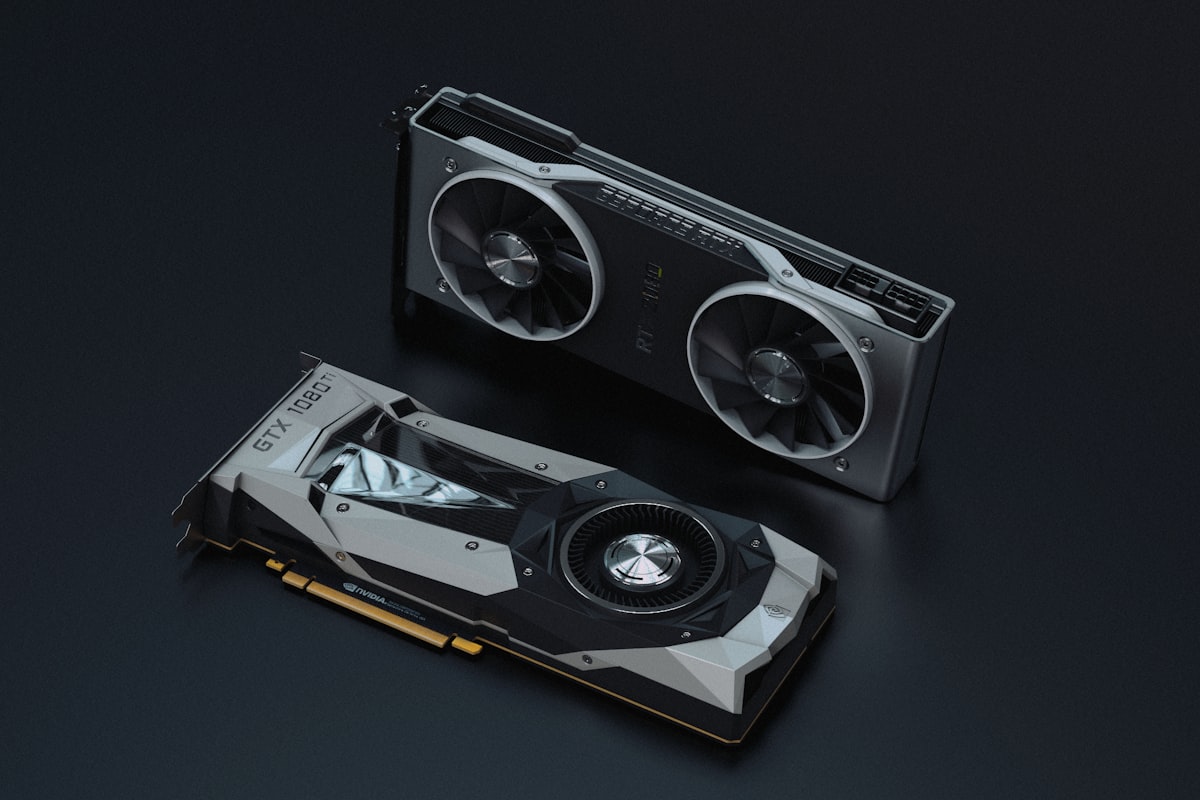
Related: DGX Spark: what $4,699 of unified memory buys you — running agentic AI locally with zero per-token cost.
One more hardware note worth flagging: TechTimes reports Lenovo has engineered a clustering capability for the ThinkCentre X Ultra, linking up to four units to pool as much as 512 GB of memory and roughly 524 total TOPS — enough headroom for very large models. The catch: the interconnect bandwidth between units hasn’t been disclosed, so real-world distributed-inference performance is an open question.
MXC: Microsoft’s Rust Sandboxing for Local AI Agents
Zenith isn’t just about running models — it’s about running agents, and agents that execute model-generated code are a security problem the OS has to own. That’s why the same announcement ties Project Zenith to the platform security work Microsoft introduced at Build 2026: OS-enforced agent identity plus Microsoft Execution Containers (MXC).
MXC is live on GitHub at microsoft/mxc, under the MIT license, and it’s a genuinely interesting piece of engineering. The README describes it as “a sandboxed code execution system for running untrusted code (model output, plugins, tools) on Windows, Linux, and macOS” — a Rust workspace (the toolchain is pinned to Rust 1.93) behind a versioned JSON configuration schema, with a TypeScript SDK (@microsoft/mxc-sdk) on npm.

The core idea is a composable sandbox: one policy model that maps onto nine different containment backends depending on how much isolation a workload needs — ProcessContainer, Windows Sandbox, LXC, Bubblewrap, Seatbelt (macOS), MicroVM (NanVix), Hyperlight, IsolationSession, and WSLC. Lightweight process isolation for a coding agent’s inner loop; a hypervisor-backed micro-VM when the workload touches sensitive data or untrusted external code.
Policies are declarative JSON. A v0.8.0 policy from the repo’s docs looks like this:
1 | { |
Filesystem rules (read-only vs. read-write vs. denied paths), network egress defaults-deny with explicit allowlists, and UI restrictions — clipboard, display, input injection — all expressed in one portable contract. On the enterprise side, Microsoft’s Build 2026 post explains that Agent 365’s policy-based controls, with Microsoft Entra and Intune, apply MXC constraints to specific agents, while Defender provides real-time protection against prompt injection and emerging agent threats. GitHub Copilot CLI has already adopted MXC process isolation, and NVIDIA is bringing its OpenShell agent runtime to Windows built on MXC.
Why bundle this with a dev PC? Because local agents are the intended workload. Microsoft’s thesis is that the next generation of software runs agents on your machine, continuously — and an always-on agent with filesystem and network access is exactly the thing you want sandboxed by default, not bolted on later.
The Economics: Local 30B Inference vs. Metered Cloud
The timing of Project Zenith is not accidental. The announcement lands while cloud AI pricing and usage limits are tightening: per Anthropic’s announcement, Claude Code’s temporary 50% boost to weekly limits will be replaced on September 14 by a permanent 25% increase over standard limits for Pro, Max, Team, and seat-based Enterprise plans — which, measured against today’s boosted capacity, is a net ~17% cut. Whatever the precise contours of that particular change, the direction of travel is clear — continuous agentic workloads are colliding with metered, rate-limited cloud inference.
The token math for agents is genuinely different from chat. Ryan Shrout, founder of Signal65 Research, argued in analysis cited by TechTimes that autonomous agents consume roughly four to fifteen times more tokens than conversational AI — “and trending well beyond that.” An agent that runs all day doesn’t ping an API occasionally; it hammers it.
So when does a $3,699 box pay for itself?
It plausibly does when:
- Your team runs agentic coding assistants continuously, and your last 30 days of cloud inference spend approaches or exceeds ~$100/month per developer (a threshold TechTimes suggests makes the payback period measurable)
- You’re prototyping and experimenting — the phase where Microsoft’s “unmetered” framing has the most value, since experimentation is precisely where token bills balloon
- Data sensitivity makes you want inference on-premises anyway; local models never ship your proprietary code to a third party (and local AI keeps advancing across form factors — see how the iPhone 17 Pro runs a 400B-parameter LLM locally)
It probably doesn’t when:
- Your usage is bursty and conversational rather than continuous
- Your workflows depend on frontier-model quality for hard reasoning — Microsoft’s own framing concedes this: frontier problems still belong to frontier models, with “everything else” running locally
- You need dense-model performance (see below) and can’t restructure around MoE architectures
The honest framing: this is a capacity purchase, not a cost eliminator. You’re buying unmetered inference capacity for the mid-tier of model capability, and your own cloud billing history — not any vendor’s math — determines the payback period.
The Honest Caveats: What Project Zenith Doesn’t Tell You
This is where a news recap would stop and we won’t, because the announcement left some load-bearing details unstated — and the coverage that filled the gaps deserves your attention.
No official performance benchmarks exist yet. Microsoft’s announcement named neither model categories nor any performance figures. TechTimes’ analysis — aptly subtitled “dense models remain the bottleneck” — fills in what the announcement omitted, and the numbers are sobering on one axis and encouraging on the other:
- Dense models are the problem. On a dense 70B model at 4-bit quantization, benchmark data compiled by Implicator.ai puts the Ryzen AI Max+ 395 at roughly five tokens per second. That is not a usable coding assistant; it’s a research toy. If your workflow leans on dense architectures (some Llama, Gemma, and Mistral variants), check tokens-per-second for your specific model before believing the Zenith promise.
- Mixture-of-experts models are the unlock. MoE models keep all parameters in memory but activate only a small subset per token, which plays perfectly to bandwidth-limited hardware. Community benchmarks put a 30B MoE model with ~3B active parameters at roughly 70–100 tokens per second on this hardware class — genuinely useful speed. Specific measured figures from a Halo-vs-DGX-Spark comparison published on dev.to include ~34 tok/s (Ryzen AI Halo) vs ~39 tok/s (DGX Spark) on GPT-OSS 120B — a near-tie on decode. (The same comparison shows the DGX Spark winning prompt processing by roughly 5×, ~1,720 vs ~340 tok/s on GPT-OSS 120B — a material edge for time-to-first-token on the long-context agentic loops Zenith is built for.) AMD’s own (vendor-published, independently unvalidated) benchmarks claim the Ryzen AI Halo edges the DGX Spark by ~7% on GPT-OSS 120B and ~12% on Qwen 3.5 122B.
The MXC preview comes with a warning label. The repo’s own README is admirably blunt: “no MXC profiles should be treated as security boundaries currently,” and policies generated by the SDK in this early preview “are overly permissive.” Microsoft explicitly invites security researchers to kick the tires before general availability. If you’re deploying agent containment to production today, read that warning twice.
The preconfigured environment has skeptics. Veteran Windows analyst Paul Thurrott tested the public configuration behind Zenith and called it “a curious miscalculation” — his argument being that developers already have bespoke setups, and many will spend their first hours un-reconfiguring what Microsoft pre-set. His reported experience was visceral: “I had to wipe the PC I tried this on, it was maddening.” He’d rather Microsoft made Windows Backup good enough to snapshot and restore your own preferred setup across machines. It’s a fair critique: the configuration is a reasonable baseline, but “reasonable for the median developer” is not the same as “right for you.”
Procurement diligence for the first Zenith machine. TechTimes’ analysis devotes considerable space to Lenovo’s Chinese ownership and China’s National Intelligence Law as an enterprise procurement consideration for the ThinkCentre X Ultra, noting that no independent security audit of the device exists yet. Whatever weight you give that framing, it’s a factor enterprise buyers will weigh — alongside MXC’s unhardened preview policies — before standardizing on this hardware.
The catalog is thin. One confirmed device (Lenovo), one silicon platform (AMD). Microsoft says more OEM and silicon partners are coming, and NVIDIA’s RTX Spark ecosystem is the widely anticipated addition — but if you want Zenith hardware today, your choices are constrained.
Related: RTX Spark: the ecosystem most likely to join Project Zenith next.
What Project Zenith Means for Developers
If you’re evaluating Zenith-class hardware, here’s the decision framework in priority order:
1. Match the model to the machine before committing. Identify the model family you’ll actually run. MoE architectures (Qwen3, Mixtral-class, GPT-OSS) land in the 70–100 tok/s range on qualifying hardware — genuinely workable. Dense 70B-class models land near 5 tok/s on ~256 GB/s — not workable. This single check determines whether the purchase makes sense, and it’s the check Microsoft’s announcement didn’t make for you.
2. Pull your real cloud bill. Look at the last 30 days of inference spend on agentic workflows. Near or above ~$100/month per developer, the payback math gets interesting. Well below that, buy the hardware for other reasons — memory, security, platform preference — not economics.
3. Try the software layer for free, today. The Windows Developer Configuration script applies most of the Zenith experience to any existing Windows 11 machine. And MXC is on GitHub under MIT with a TypeScript SDK — you can start sandboxing agent code execution now, no new hardware required. Thurrott’s wipe-the-PC anecdote notwithstanding, evaluating the configuration on a machine you already own costs you an afternoon, not $3,699.
4. Watch three things over the next quarter:
- Independent benchmarks on real Zenith hardware — especially dense-model throughput and, if the four-unit clustering pans out, multi-node inference numbers
- MXC’s maturation — whether the “overly permissive” preview policies harden into documented security boundaries, and whether the Agent 365 / Entra / Intune governance story holds up in real enterprises
- The qualifying-platform list — if NVIDIA’s RTX Spark ecosystem joins as expected, the 64 GB+ unified-memory tier gets competitive fast, and prices should respond accordingly
Related: Local AI inference vs. cloud API costs in 2026.
The Bottom Line
Project Zenith is Microsoft’s bet that the developer PC becomes an inference endpoint — that owning unmetered mid-tier AI capacity will matter as much as owning CPU cores did, and that agents running on that hardware need OS-level containment from day one. The pieces are real: a concrete hardware floor, a first shipping machine, an open-source sandboxing layer with enterprise governance hooks, and a developer configuration you can adopt without buying anything.
The honest gaps are equally real: no official benchmarks, a five-tokens-per-second wall for dense models that the announcement never mentioned, and a hardware catalog of exactly one. Project Zenith is a promising platform with a load-bearing asterisk — and the developers who benefit most will be the ones who read the asterisk before they buy.
References and further reading
- Windows Developer Blog — Announcing Project Zenith: the ready-to-code Windows experience
- TechTimes — Project Zenith brings local 30B AI to Windows; dense models remain the bottleneck
- GitHub — microsoft/WindowsDeveloperConfig (the Windows Developer Configuration script)
- GitHub — microsoft/mxc (Microsoft Execution Containers, sandboxed code execution)
- dev.to — Ryzen AI Halo vs. DGX Spark inference comparison
- AMD — official site (Ryzen AI Halo platform)
- Lenovo — official site (ThinkCentre X Ultra)
- Apple — official site (Mac Studio lineup)
- Anthropic — official site (Claude Code usage limits announcement)
Please let us know if you enjoyed this blog post. Share it with others to spread the knowledge! If you believe any images in this post infringe your copyright, please contact us promptly so we can remove them.